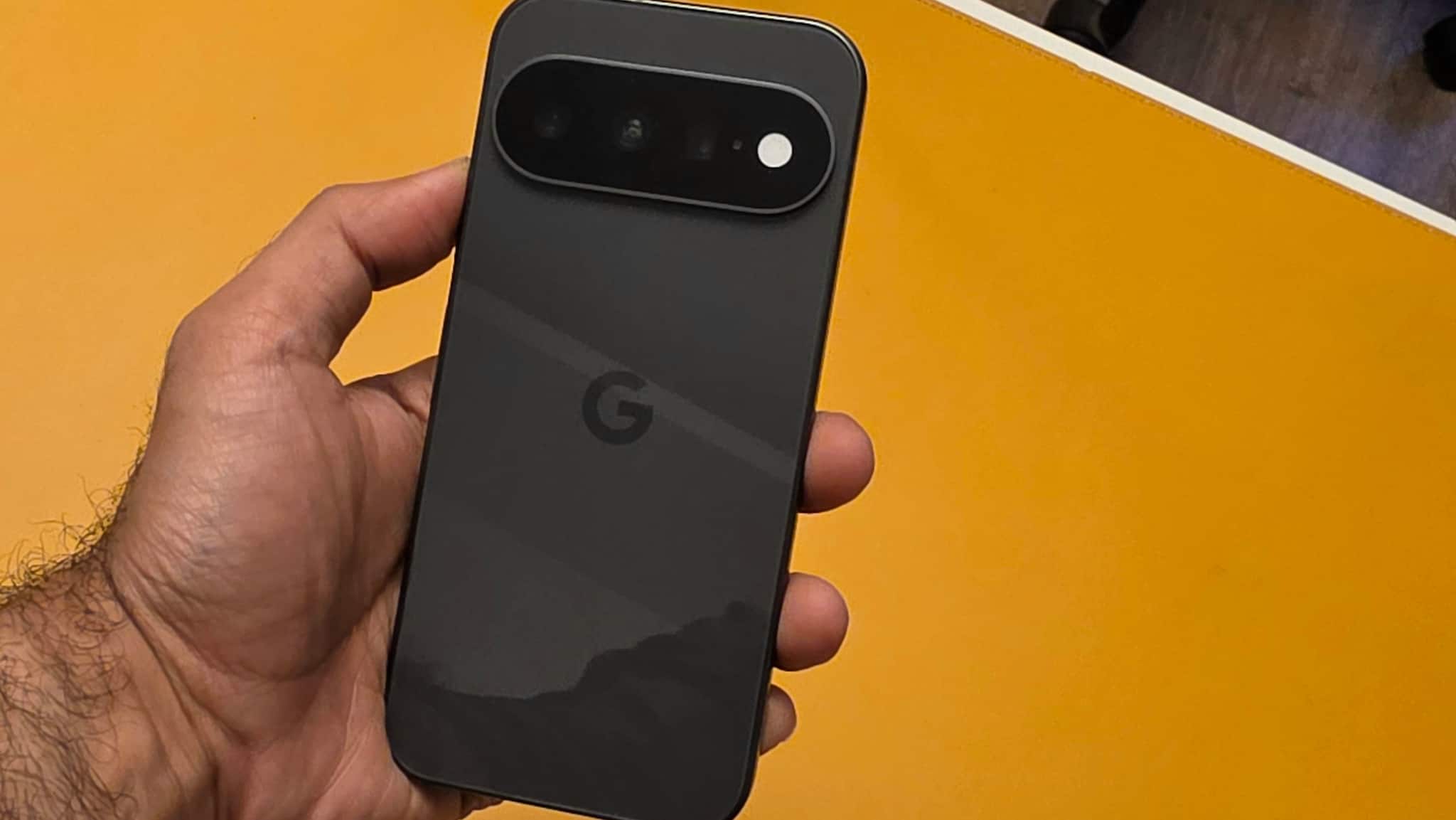
There was a time when the Pixel was primarily known for its camera and Google’s version of Android. Today, Google’s phones have become a showcase for how the company wants AI to work in everyday life. The Pixel 11 continues that approach, but unlike some recent flagships, it doesn’t bring a major hardware overhaul, and the design hasn’t changed by much.
Having said that, the design and display remain largely familiar, while the bigger changes are inside — the new Tensor G6 chip, a new modem, faster wireless charging, camera improvements and deeper Gemini integration. On paper, it looks more like a refinement than a major upgrade. But how much of that actually matters when you use the phone every day?
I have been using the Pixel 11 to find out, focusing on everyday performance, camera experience, battery life and, most importantly, whether Google’s AI features genuinely make the phone more useful.
Pixel 11: Design and build
Google has stayed with the Pixel design language. There are some small changes. The camera bar is now a thinner, all-glass, pill-shaped module, while the phone continues to use a satin-finish recycled aluminium frame and a glossy glass back.
The Pixel 11 is available in Hibiscus, Pistachio, Frost and Obsidian colours.
What I like about the Pixel 11 is its size. Despite having a 6.3-inch display, it feels relatively compact by today’s flagship standards. It is slightly thick, but the dimensions and rounder corners make it comfortable enough to carry and use throughout the day.
The 6.3-inch OLED display itself is familiar territory. It has a 1080 x 2424-pixel resolution, supports 60Hz and 120Hz refresh rates and can reach 3,000 nits of peak brightness.
The panel is bright enough for outdoor use, and I did not find myself constantly trying to find shade just to read something on the screen. However, there is one setting worth changing immediately: 120Hz is not enabled by default. You have to turn it on manually.
There is also no variable refresh rate that can dynamically move between very low refresh rates and 120Hz. The phone essentially switches between 60Hz and 120Hz, which is something to keep in mind when battery efficiency is considered. The display remains good but not its biggest strength, I would say.
Pixel 11: Performance
The biggest change under the hood is Google’s Tensor G6 processor. Google claims improvements in power efficiency, browsing and app loading, but I was more interested in what those changes actually meant during everyday use.
The answer is fairly straightforward: The Pixel 11 feels quick and more composed compared to the previous generation models.
Apps open without unnecessary delays, scrolling is smooth, and the camera launches and responds faster than I experienced on the previous generation. Even small interactions feel more immediate. The occasional lag or stutter is gone, and the phone feels in the flagship territory.
The Tensor G6 also handles multitasking comfortably. Switching between applications, browsing, watching videos and using Google’s AI-powered features does not require me to change the way I normally use a phone or worry if the phone will be able to keep up.
Gaming, however, tells a different story.
I tried some lightweight titles such as Subway Surfers and Candy Crush before moving to more demanding games including Genshin Impact, Call of Duty Mobile and BGMI. The lighter titles were completely fine, with smooth gameplay and no noticeable performance issues during my sessions.
The experience was different with the more demanding games. Genshin Impact, in particular, pushed the phone harder, with occasional frame drops and stutters during more intensive sequences. BGMI and Call of Duty Mobile were more manageable, but extended gaming sessions did make the phone noticeably warm.
So, while the Pixel 11 handles casual gaming without any trouble, it is not a phone I would pick specifically for heavy gaming. For everyday use, the Tensor G6 delivers the responsiveness I expect from a flagship, but gamers looking for sustained high-performance gaming have better-suited options.
Pixel 11: Software and features
The Pixel 11’s biggest story is how deeply Gemini is woven into the software. AI is most useful when you don’t have to hunt for it, and Google has built it into Messages, Gmail, Maps, the camera and search.
Messages shows this best. A meeting request gets an AI overview inside the chat with an option to add it to the calendar, a restaurant recommendation becomes a tap-through to Maps, and Gemini can pull a flight number from Gmail if you grant access.
Circle to Search works from the camera: open the viewfinder, hold the navigation bar and circle an object; no photo needed. Location-aware prompts add to this, such as a Wallet loyalty card appearing at a store or order suggestions at a restaurant.
AI can’t be removed entirely, but control is granular. You can turn off Gemini, restrict its access to Photos and Messages, disable Circle to Search and switch off many camera AI options, though there is no master switch. This is a good thing for people who want to have AI features, but with some limitations and boundaries.
One of the more interesting additions to the Pixel 11 is HiLight, a small feature designed to help you stay away from the screen without missing important calls. When the phone is placed face down, the light around the camera flash can glow in a custom colour when someone from your inner circle calls. You can assign different colours to favourite contacts, so you can identify who is calling without picking up the phone. HiLight also works with Gemini, using the light as a visual confirmation when the assistant hears a voice command. It is a simple implementation, but one that fits Google’s idea of making AI and notifications less intrusive.
Pixel 11: Cameras
The Pixel camera experience has traditionally been about Google’s image processing as much as the camera hardware, and that remains true here.
The Pixel 11 has a 48MP main camera, 13MP ultrawide and 10.8MP telephoto with 5x optical zoom. There is also a 10.5MP front camera, while digital zoom now extends to 30x.
The main camera uses a larger sensor, which helps with low-light photography. But the improvement I noticed more consistently was speed and image processing consistency.
The camera feels more responsive than before. I could take a picture and have it appear in the gallery almost immediately, with less of the processing delay that can sometimes make computational photography feel disconnected from the moment you’re trying to capture.
That matters more than it sounds. A camera can produce excellent images, but if it takes too long to process every shot, the overall experience suffers.
Image quality remains one of the Pixel’s strengths. The phone does a lot of the work for you, so you don’t need to be an experienced photographer to consistently get usable results.
The 5x telephoto is particularly useful when photographing distant subjects. I found myself relying on it more often than the ultrawide camera. Also, the quality is top-notch with good dynamic range and details. Low-light output is also pretty good, with no artificial-looking photos or over-processed outputs.
The 30x zoom is also available, but it is better viewed as an option for getting closer to a distant subject rather than something you would use for serious long-range photography. The zoom combines multiple captured images, rather than relying on generative AI to create details that were never captured.
Google has also added new software tools to the camera.
Camera Looks work somewhat like filters that can be selected before taking a photograph. They allow users to change characteristics such as colour temperature and shadows, giving more control over the final look without requiring manual editing later.
Magic Capture is another interesting addition. It lets you record video during an event while also selecting still images, meaning you don’t necessarily have to spend the entire moment looking at the phone’s viewfinder.
It is a small but practical idea. Instead of choosing between recording a video and capturing individual photographs, the phone tries to handle both.
Pixel 11: Battery life
The Pixel 11 has a 4,985mAh battery, which is only slightly larger than the previous generation’s battery.
Google claims up to 30 hours of battery life, compared with 24 hours previously. In actual use, though, I would be more conservative about that improvement.
The Pixel 11 comfortably handled busy days during my testing. Browsing, messaging, using the camera, watching videos and regularly interacting with the phone did not leave me searching for a charger halfway through the day.
But this is still essentially a daily-charge phone for most users. The improvement is more about making it through a demanding day with greater confidence rather than turning the Pixel 11 into a two-day device.
Charging remains at 30W over a wired connection, and Google does not include a charger in the box.
The more interesting upgrade is wireless charging. The Pixel 11 supports 25W Qi2 charging, and Google’s magnetic PixelSnap system has also been strengthened. If you use wireless charging regularly, this is a more meaningful improvement than the small increase in battery capacity. Also, this upgrade makes the wireless charging as fast as the wired charging – well, to an extent.
Pixel 11: Verdict
The Pixel 11 is a refinement of the Pixel formula rather than a complete rethink. The Tensor G6 makes everyday use feel faster, the camera is more responsive, battery life is good enough to get through a busy day, and 25W Qi2 charging is a welcome addition. But the biggest reason to consider a Pixel has always been its software, and that remains the case here.
Google’s approach to AI is becoming more contextual. Gemini isn’t limited to a standalone app anymore; it feels more closely integrated with the phone and the wider Google ecosystem. Features across Messages, Maps, Gmail, Search and the camera increasingly understand what you are doing and surface relevant information instead of simply waiting for a command.
There are still a few limitations. Gaming performance could be better, while wired charging at 30W feels conservative for a phone in this segment.
At a starting price of Rs 89,999, however, the Pixel 11 brings together a premium design, reliable battery life, a capable camera system and smooth everyday performance in a relatively compact form factor. If you want a smaller flagship and Google’s AI features are a major part of what you are looking for, the Pixel 11 makes a compelling case.