A quiet June update to Google’s privacy settings means the images you snap with Lens, the voice recordings you make in Translate, and other media you create while using Search, Maps, Shopping, and similar services are now being saved to train the company’s AI models by default.
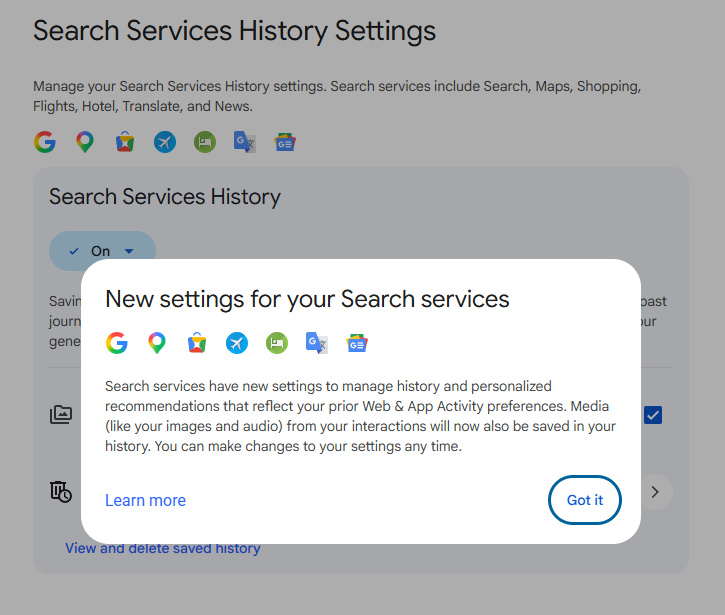
Screenshot: Google
Google says the data is disconnected from your account and filtered for identifying information before training. But if you would rather keep your media to yourself, here is what to change.
Step 1: Adjust your Search Services History (and stop saving media)
- Go to myactivity.google.com on your phone or computer.
- Tap Search Services History.
-
Here you have two main options:
Turn the whole thing off: This stops Google from saving any future interactions with Search services as history. (If you choose this, you can also opt to delete existing activity.)
Keep history on, but stop saving media: If you like the convenience of saved searches for recommendations, simply uncheck the Save Media box. This leaves your text‑based history alone but stops Google from hanging onto your Lens images, voice recordings, and other media.
- While you’re there, you can also set your activity to auto‑delete after 3, 18, or 36 months instead of staying forever.
Step 2: Turn off personalised recommendations (optional)
A separate setting called Personalized Recommendations uses your saved activity to tailor results and ads. If you want to switch that off:
These tweaks do not affect your ability to search, navigate, or translate. They simply draw a clear line around what Google can store and use to build its AI models.